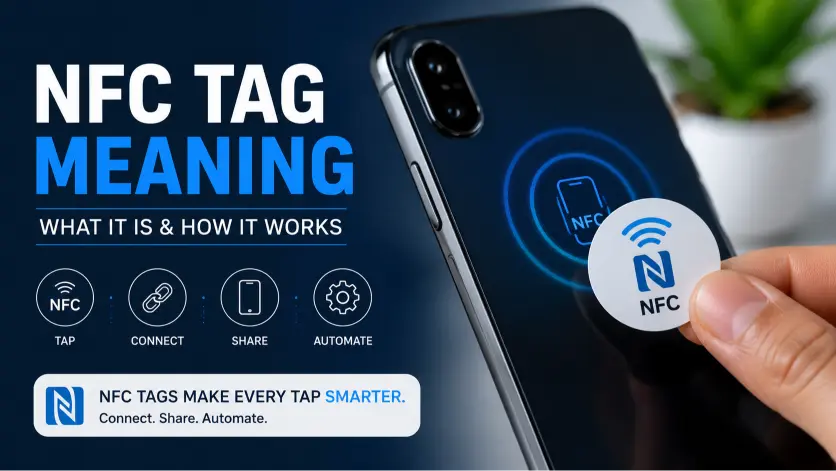
Have you ever seen a small sticker, card, or product label that says “Tap Here” and wondered what happens when you touch your phone to it? That tiny piece of technology is often an NFC tag — and understanding the website NFC tag meaning can help you unlock a faster way to share online information.
Imagine handing someone your business card, and instead of typing your website manually, they simply tap their phone and your page appears instantly. That’s the convenience NFC technology brings.
A website NFC tag connects the physical world with the digital world by storing a website link inside a tiny programmable chip. From restaurants and stores to influencers and freelancers, people are using NFC tags to create smoother customer experiences.
This guide, Updated for 2026, explains what website NFC tags mean, how they work, where they are used, common mistakes, and why they are becoming a popular alternative to traditional link-sharing methods.
What Does Website NFC Tag Mean?
Quick Answer
A website NFC tag is a small programmable device that stores a website URL and allows users to open that website by tapping an NFC-enabled smartphone against the tag.
The term combines three ideas:
- Website: An online page or URL
- NFC: Near Field Communication technology
- Tag: A small physical object containing stored digital information
Simply put, a website NFC tag is a physical shortcut to an online destination.
Instead of typing a long web address, users can tap a tag and instantly access a webpage.
What Is NFC Technology?
NFC stands for Near Field Communication. It is a short-range wireless communication technology that allows two devices to exchange small amounts of information when they are placed close together.
You may already use NFC without realizing it.
Examples include:
- Contactless payments
- Digital wallets
- Smart access cards
- Public transportation passes
- Hotel key cards
A website NFC tag uses the same basic technology but stores a website link instead of payment information.
How Does a Website NFC Tag Work?
A website NFC tag contains a tiny NFC chip and antenna.
The process is simple:
- A URL is saved onto the NFC chip.
- The NFC tag is placed on a card, sticker, product, or object.
- Someone taps their smartphone near the tag.
- The phone reads the stored information.
- The website opens automatically.
cables are needed.
Bluetooth pairing is required.
complicated setup is involved.
That simple “tap and open” experience is what makes NFC tags attractive.
Where Did Website NFC Tags Come From?
NFC technology developed from earlier RFID (Radio Frequency Identification) systems.
Over time, NFC became popular because it allowed two-way communication between nearby devices. Smartphone manufacturers started adding NFC capabilities, making the technology available to everyday users.
Today, NFC tags are commonly used in:
- Digital business cards
- Smart product packaging
- Event marketing
- Restaurant menus
- Customer reviews
- Social media profiles
The meaning of NFC tags has evolved from a technical tool into a practical everyday shortcut.
How Do You Pronounce NFC?
NFC is usually pronounced:
“En-Ef-See”
It is an abbreviation, so each letter is spoken separately.
Example:
“I added my portfolio website to an NFC tag.”
How to Use Website NFC Tags Correctly in Texts & Real Life
Unlike internet slang, a website NFC tag is not a chat abbreviation. It is a physical technology term used when discussing digital tools, marketing, and smart devices.
People usually mention NFC tags when talking about:
- Sharing websites
- Digital identity
- Contactless experiences
- Marketing campaigns
- Smart products
Common Ways People Use Website NFC Tags
1. Digital Business Cards
Professionals can place their website, LinkedIn profile, portfolio, or contact details inside an NFC card.
Example:
“I replaced my traditional business card with an NFC card. People just tap it to view my website.”
This is popular among:
- Freelancers
- Designers
- Sales professionals
- Entrepreneurs
2. Marketing Campaigns
Businesses can place NFC stickers on posters, displays, or products.
Example:
“Tap this NFC tag to visit our online store.”
Customers get instant access without searching.
3. Restaurant Menus
Many restaurants use NFC tags on tables.
Customers tap their phones and open:
- Digital menus
- Ordering pages
- Review websites
- Special offers
4. Product Information
Brands can attach NFC tags to products so customers can access:
- Instructions
- Authenticity verification
- Tutorials
- Product details
Website NFC Tag Formatting Tips
When creating or sharing an NFC website tag:
Keep URLs Short
A clean URL creates a better user experience.
Better:
yourbrand.com/menu
Less ideal:
yourbrand.com/products/category/item?id=39482
Use HTTPS Websites
Always connect NFC tags to secure websites using HTTPS.
Users trust secure links more, and browsers display them correctly.
Add a Clear Call-to-Action
Instead of only placing an NFC tag, guide users.
Examples:
- “Tap to Visit Our Website”
- “Tap for Exclusive Offers”
- “Tap to View Portfolio”
Real Conversation Examples Using Website NFC Tags
Although website NFC tag meaning is not related to texting slang, people often discuss NFC tags in everyday conversations, business chats, and technology groups. Here are realistic examples showing how people use the term.
Example 1: Between Business Owners
Sarah: I want customers to find our online menu faster.
Mike: You should try a website NFC tag. Customers can tap it and the menu opens instantly.
Meaning:
Here, the NFC tag acts as a shortcut between a physical location and a digital website. Mike is suggesting a faster customer experience.
Example 2: Freelancer Networking Event
Alex: Do you still print business cards?
Emma: Not anymore. I use an NFC card with my portfolio website attached.
Meaning:
Emma uses an NFC website tag as a modern digital business card. Instead of handing over paper, she lets people tap and access her online profile.
Example 3: In a Marketing Team Chat
Manager: How can we increase website visits from our store displays?
Marketing Lead: Let’s add NFC tags near the products. Customers can tap for product guides and offers.
Meaning:
The NFC tag connects offline customers with online content, making physical marketing more interactive.
Example 4: Family or Personal Use
Brother: How did you share your travel photos so quickly?
Sister: I created an NFC tag linked to my photo album website.
Meaning:
NFC tags are not only for businesses. Individuals can use them to share personal websites, portfolios, or digital collections.
Example 5: Gaming or Creator Community
Streamer: I added an NFC tag to my setup.
Friend: What does it do?
Streamer: Fans can tap it to open my streaming links and social profiles.
Meaning:
Creators use NFC tags as quick access points for their digital platforms.
Common Mistakes & Misunderstandings About Website NFC Tags
Even though NFC technology is simple, many people misunderstand how website NFC tags work.
Here are the most common mistakes.
Mistake 1: Thinking NFC Tags Store Websites
A common misunderstanding is believing an NFC tag contains an entire website.
It does not.
An NFC tag usually stores a small amount of information, such as:
- A website URL
- Contact information
- Text
- Commands
The actual website lives online.
The NFC tag simply works like a digital shortcut.
Mistake 2: Assuming Every Phone Supports NFC
Most modern smartphones support NFC, but not every device does.
Before buying NFC tags, check whether your target audience uses NFC-enabled phones.
Examples of devices that commonly support NFC:
- Modern Android phones
- Recent iPhones
- Business smartphones
Older phones may require manual checking.
Mistake 3: Using NFC Tags Without Testing Them
Some people program an NFC tag once and never test it.
That can create problems.
Always check:
- Does the link open correctly?
- Does it work on different phones?
- Is the website mobile-friendly?
- Does the URL still exist?
A broken NFC tag creates a poor user experience.
Generational Understanding of NFC Tags
Different age groups may view NFC technology differently.
Gen Z and Younger Users
Gen Z users often expect fast digital interactions.
They are familiar with:
- Tap-to-pay
- Smart devices
- Digital profiles
- Contactless experiences
For them, NFC tags feel natural and convenient.
Millennials
Millennials often see NFC tags as useful productivity tools.
Common uses include:
- Networking
- Business cards
- Smart home shortcuts
- Personal branding
Older Generations
Some older users may not immediately understand NFC.
They may wonder:
- “Where do I tap?”
- “Do I need an app?”
- “Is this safe?”
Clear instructions help remove confusion.
Website NFC Tags Across Different Platforms & Industries
Unlike hashtags or internet slang, NFC tags do not belong to one specific social media platform. Their popularity comes from their ability to connect physical objects with online experiences.
NFC Tags in Business
Companies use NFC website tags for:
- Customer reviews
- Store promotions
- Product information
- Loyalty programs
- Digital contact cards
Example:
A coffee shop places an NFC sticker near the counter:
“Tap here to leave a review.”
Customers can instantly access the review page.
NFC Tags on Instagram and Social Media
Creators often connect NFC tags to:
- Instagram profiles
- YouTube channels
- TikTok pages
- Personal websites
Instead of asking followers to search usernames, they provide instant access.
NFC Tags in Events
Event organizers use NFC tags for:
- Digital tickets
- Event schedules
- Speaker information
- Registration pages
They reduce the need for printed materials.
NFC Tags in Retail
Retail brands use NFC tags to provide:
- Product stories
- Discounts
- Tutorials
- Authenticity checks
For example, a customer could tap a product tag to view care instructions.
Are Website NFC Tags Formal or Informal?
The term website NFC tag is professional and technical.
It is suitable for:
✅ Business conversations
✅ Marketing discussions
✅ Technology articles
✅ Product descriptions
✅ Professional presentations
It is not slang, so there is no informal version like chat abbreviations.
Related Slang, Abbreviations & Alternatives
Here are related terms connected to website NFC tags and digital sharing:
| Term | Meaning |
|---|---|
| NFC | Near Field Communication technology used for short-range wireless data exchange |
| RFID | Radio Frequency Identification technology used for tracking and identification |
| QR Code | A scannable code that opens websites or digital information |
| Digital Business Card | An online contact card shared electronically |
| Smart Tag | A connected tag that stores digital information |
| NFC Chip | The tiny electronic component inside an NFC tag |
| Contactless Technology | Technology that works without physical connection |
| URL Tag | A tag programmed with a website link |
| Tap-to-Open Link | A link accessed by tapping a compatible device |
| Digital Wallet | A smartphone-based payment and identity storage system |
NFC Tag vs QR Code: What Is the Difference?
Many people compare NFC tags with QR codes because both connect physical objects to digital content.
| Feature | NFC Tag | QR Code |
|---|---|---|
| How it works | Tap phone near tag | Scan image with camera |
| Internet needed | Usually needed to open website | Usually needed to open website |
| Physical appearance | Chip or sticker | Printed pattern |
| User action | Tap | Scan |
| Cost | Slightly higher | Usually cheaper |
| Durability | Can last longer | Depends on printing quality |
Neither technology is always better.
The best choice depends on the situation.
For premium experiences, NFC often feels more seamless. For large-scale campaigns, QR codes may be more affordable.
When Should You Use a Website NFC Tag?
A website NFC tag is useful when you want people to quickly access online information from a physical location.
Great use cases include:
Personal Branding
Perfect for:
- Portfolio websites
- Resume pages
- LinkedIn profiles
- Creator pages
Small Businesses
Useful for:
- Menus
- Reviews
- Promotions
- Online stores
Marketing Campaigns
Helpful for:
- Product launches
- Events
- Customer engagement
Smart Home Projects
Some users program NFC tags to:
- Open apps
- Control devices
- Trigger phone actions
When Should You NOT Use an NFC Website Tag?
NFC tags are useful, but they are not always the best solution.
Avoid using them when:
- Your audience has older phones
- Users cannot physically reach the tag
- A simple printed link works better
- You need to share information with thousands of people instantly
A good digital tool solves a problem. It should not exist only because it looks futuristic.
FAQs:
What does a website NFC tag mean?
A website NFC tag is a small programmable chip that stores a website address (URL). When someone taps the tag with an NFC-enabled smartphone, the phone reads the stored information and opens the website automatically. It works as a bridge between a physical object and a digital webpage.
How do website NFC tags work?
Website NFC tags work through Near Field Communication technology. A user places an NFC-compatible smartphone close to the tag, and the phone reads the stored URL or data. After detecting the information, the smartphone can open the linked website without requiring manual typing or searching.
Do I need an app to use a website NFC tag?
Most modern smartphones can read website NFC tags without installing an additional app. Many Android devices and newer iPhones have built-in NFC support that allows users to tap a tag and open the saved website link automatically.
However, some older devices may require an NFC reader app.
Are website NFC tags safe to use?
Yes, website NFC tags are generally safe when used properly. However, users should always check the website before entering personal information or downloading anything.
Like QR codes, NFC tags can potentially direct users to unsafe websites if programmed by unreliable sources.
Best practices include:
- Use trusted NFC tags
- Check the URL before opening
- Keep your phone software updated
- Avoid entering sensitive information on unknown pages
Can I create my own website NFC tag?
Yes, anyone can create a website NFC tag.
The basic process includes:
- Buy a programmable NFC tag.
- Choose the website URL you want to share.
- Use an NFC writing app.
- Save the URL onto the NFC chip.
- Test it with different smartphones.
No advanced programming knowledge is required.
What is the difference between an NFC tag and a website NFC tag?
An NFC tag can store different types of information, including text, contact details, commands, or website links.
A website NFC tag specifically refers to an NFC tag programmed with a website URL.
So, every website NFC tag is an NFC tag, but not every NFC tag contains a website link.
Are NFC website tags better than QR codes?
It depends on the purpose.
NFC tags offer a smoother experience because users only need to tap their phones. QR codes are cheaper and easier to print on large campaigns.
Businesses often choose:
- NFC for premium experiences
- QR codes for mass distribution
Many brands use both together for maximum accessibility.
Conclusion:
The website NFC tag meaning is simple: it is a small smart tag that stores a website link and allows users to open that website by tapping their smartphone.
This technology makes sharing faster, easier, and more interactive. Whether you are a business owner, freelancer, creator, or everyday smartphone user, NFC tags can connect physical objects with digital experiences.
From digital business cards to smart product packaging, website NFC tags are becoming a practical tool for modern communication and marketing.
Want to make your offline experiences smarter? Try exploring NFC technology and see how a simple tap can create a powerful digital connection.
Have you used an NFC tag before? Share your experience or favorite NFC use case in the comments below!

I’m Lina Roys, a passionate writer behind Storevian, where I make words, phrases, slang, and everyday expressions easy to understand. I create clear, engaging, and reader-friendly content to help people find the meanings they’re looking for, quickly and confidently.


1 thought on “Website NFC Tag Meaning Simple Guide for Digital Users”